
Wopisanje
Mintveo shows which ad earned each WooCommerce order, and how much each campaign really sold.
Connect your store and your ad accounts (Meta, TikTok, Snapchat, Google Ads) in Mintveo. Then:
- The plugin remembers the ad click that brought each shopper and attaches it to their order.
- Your orders reach Mintveo through WooCommerce’s own webhooks, which you can see and delete at any time. Right after connecting, the plugin also sends your orders from the last 90 days once, so your reports start with your recent history.
- Mintveo sends each sale back to your ad accounts, counted once, so their reports and bidding learn from real orders.
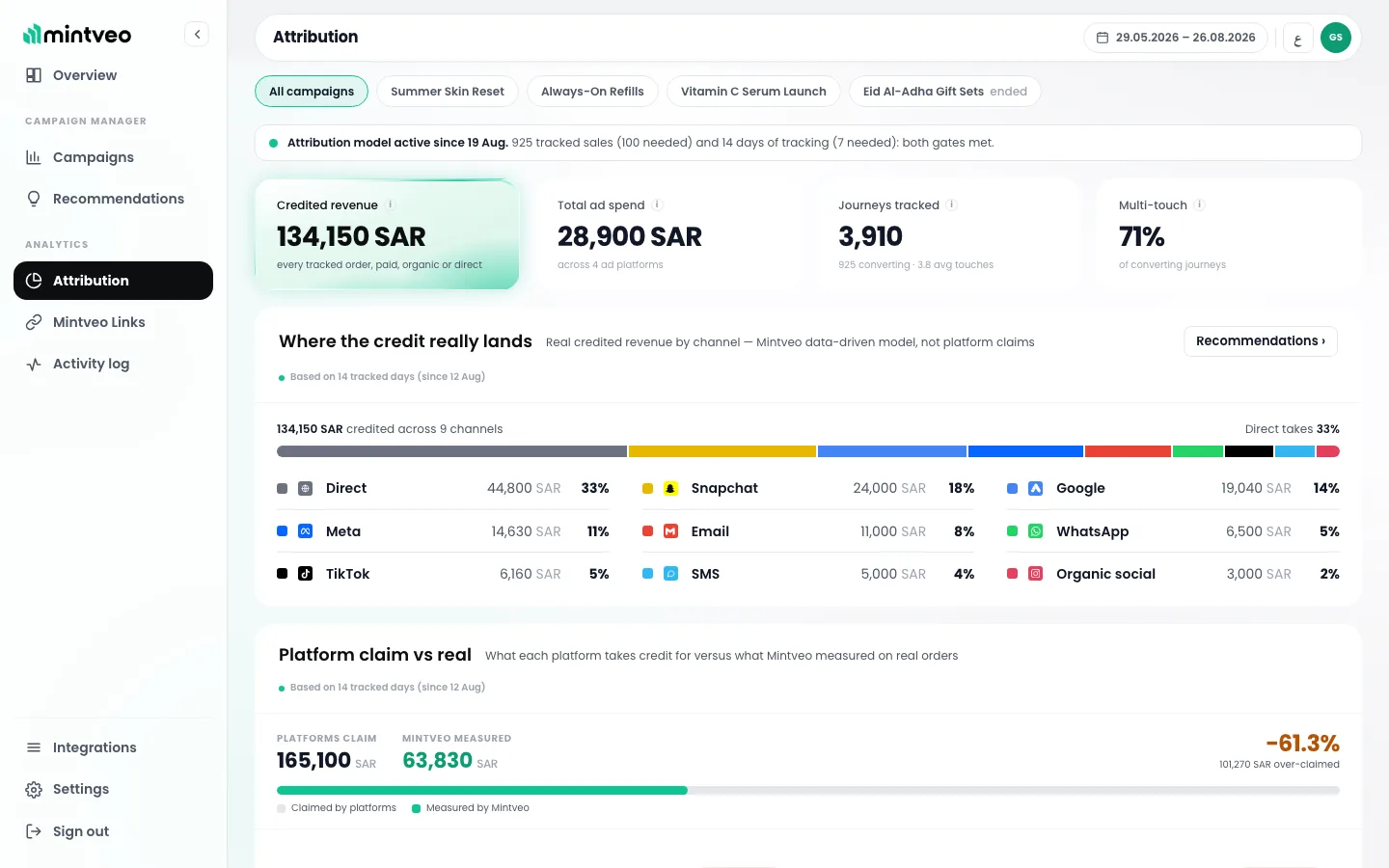
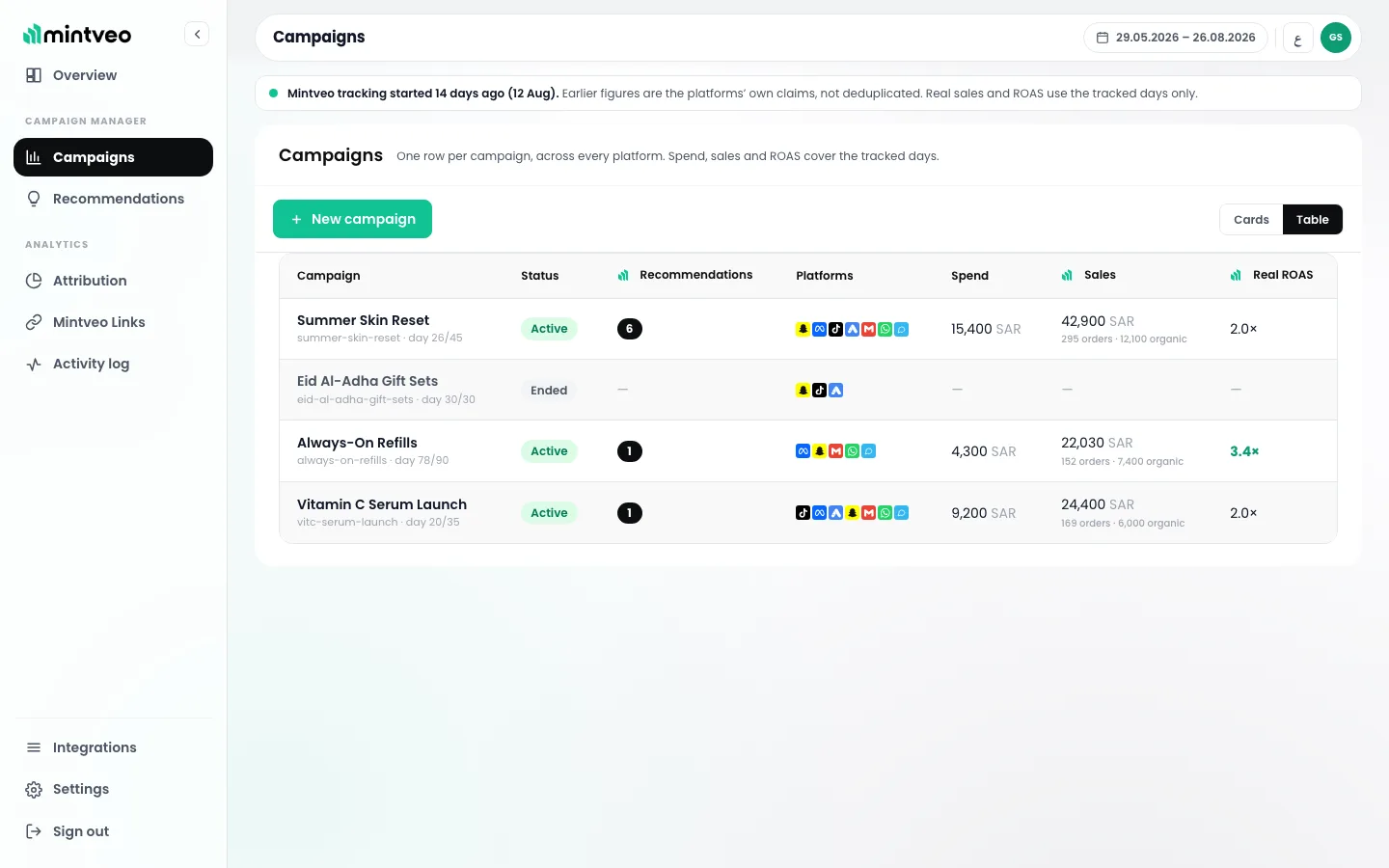
In Mintveo you see real sales and real return on ad spend for each campaign, next to what each ad platform claims.
Good to know
- Nothing is sent until you click Connect to Mintveo.
- Two cookies on your own domain: the ad click reference and a random visitor id.
- Your UTM fields, theme and checkout are left untouched.
- It follows your cookie banner: a shopper who declines gets no cookie.
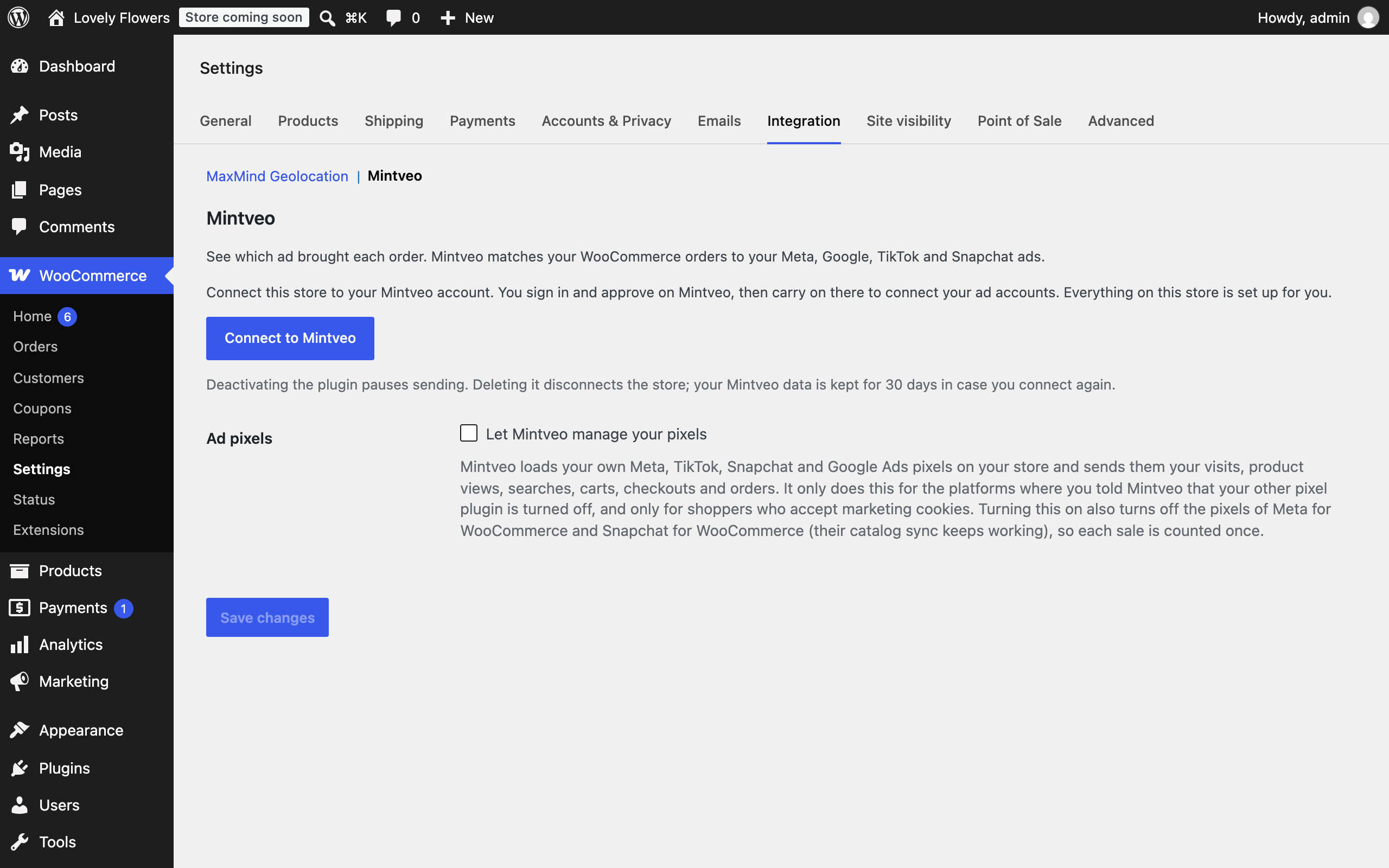
- Loading your own ad pixels is optional and off by default (Let Mintveo manage your pixels).
Screenshots
Instalacija
- Install and activate the plugin.
- Go to WooCommerce Settings Integration Mintveo and click Connect to Mintveo.
- Sign in to Mintveo if asked, and click Approve. The store is connected, with the order and product webhooks already set up, and you carry on in Mintveo to connect your ad accounts.
Reviews
There are no reviews for this plugin.
Sobustatkujuce a wuwijarje
„Mintveo“ jo software wótwórjonego žrědła. Slědujuce luźe su pśinosowali k toś tomu tykacoju.
Sobustatkujuce
Translate “Mintveo” into your language.
Interested in development?
Browse the code, check out the SVN repository, or subscribe to the development log by RSS.
Changelog
1.2.1
- Cash on delivery orders: when Mintveo manages your pixels, they no longer report a Purchase on the order confirmation page. Mintveo sends the Purchase from its server once the order is delivered, so a refused or cancelled parcel is never counted as a sale by your ad platforms. Prepaid orders are unchanged.
1.2.0
- After connecting (or after updating to this version), sends your orders from the last 90 days to Mintveo once, in the same form WooCommerce’s order webhooks use, so your reports start with your recent history.
- Snapchat: when another app left the Snap Pixel library on your store without a pixel, Mintveo’s pixel now starts on it instead of standing aside, so Snapchat still receives your shopping events.
1.1.0
- New setting, off by default: Let Mintveo manage your pixels. Mintveo loads your own Meta, TikTok, Snapchat and Google Ads pixels and sends them your visits, product views, searches, carts, checkouts and orders, with the same order id your server sends, so each sale is counted once. Only for the platforms where you turned your other pixel plugin off, and only for shoppers who accept marketing cookies. It also turns off the pixels of Meta for WooCommerce and Snapchat for WooCommerce, whose catalog sync keeps working.
- On the order confirmation page the pixels also get the buyer’s email and phone, SHA-256 hashed, so the platforms can match the sale to the buyer.
1.0.1
- Activates on a site without WooCommerce and shows a notice asking to activate it, instead of blocking the activation.
1.0.0
- First release: connects the store to Mintveo from WooCommerce Settings Integration Mintveo, attaches the ad click reference to each order (classic and block checkout), reports tracked-link clicks, storefront visits and shopping steps once connected, and sends the product catalog for catalog ads.
- Follows your store’s cookie banner (WP Consent API or Google Consent Mode): a shopper who declines gets no cookie, and a shopper who declines marketing has no purchase sent to ad platforms.
- Saves the ad cookies your store’s own pixels set (Meta, Snapchat, TikTok) on the order and tells Mintveo which pixels the store runs, so a sale is never counted twice.
- Sends the store details at connect, the plugin version with each request and a daily check-in; deleting the plugin tells Mintveo, which keeps your data 30 days, then deletes it.