

Wopisanje
True two-way group communication over email
WP Mailster allows your users to be part of a group and communicate by email without having to log into a website.
Similar to programs like Mailman or Listserv this plugin allows you to run a discussion mailing list.
That means that every email sent to a central email address is forwarded to the rest of the members of the list.
When members reply to such list emails WP Mailster again forwards them to the other list recipients.
Unlike newsletter plugins this allows true two-way communication via email.
Features
- group communication through email
- supports POP3/IMAP mailboxes and Google/Microsoft OAuth 2.0 for incoming IMAP mail
- recipients can be managed in the WordPress admin area
- users can subscribe/unsubscribe through widgets on the website
- all WP users can be chosen as recipients, additional recipients can be stored (without having to create them as WP users)
- users can be organized in groups
- single users or whole groups can be added as recipients of a mailing list
- replies to mailing list messages can be forwarded to all recipients (or only the sender)
- email archive for browsing the mails
- full support of HTML emails and attachments
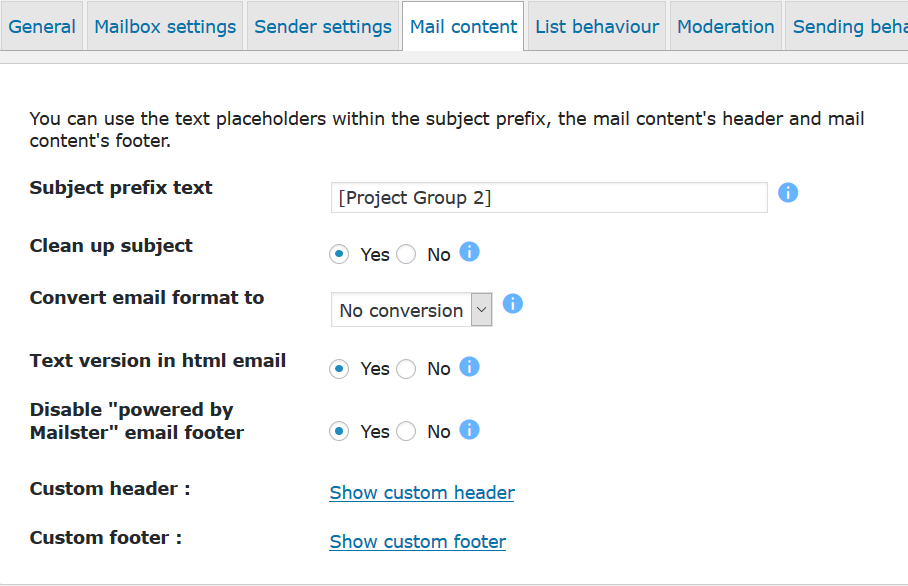
- custom headers and footers
- subject prefixes
- many more features
Note: This version of WP Mailster is FREE and limited in terms of number of lists and subscribers per list. Additional features such as captcha protection, double opt-in, email filtering, configurable event notifications, and many others are available in the premium editions.
Help & Support
Please check the documentation on our site as well as look through the FAQs before contacting us. Thank you!
Special Thanks
This plugin has been tested on various browsers thanks to BrowserStack!
Screenshots
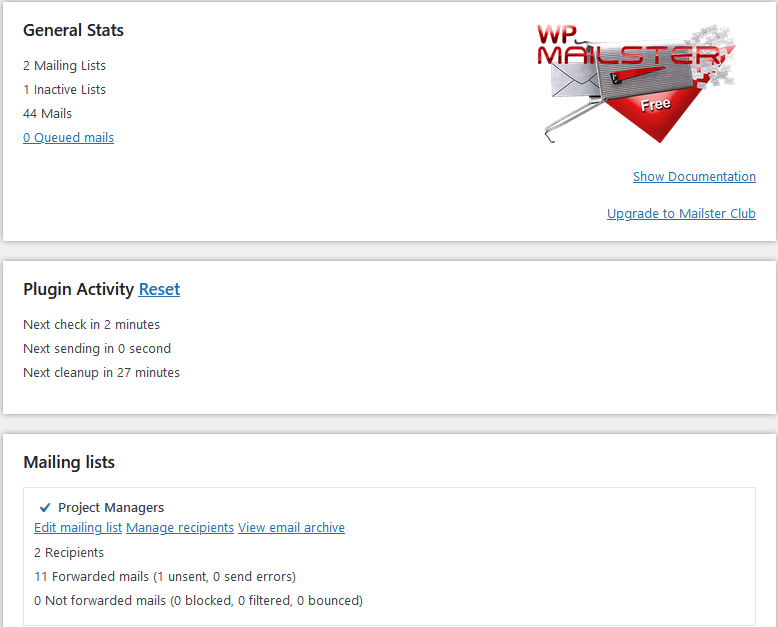
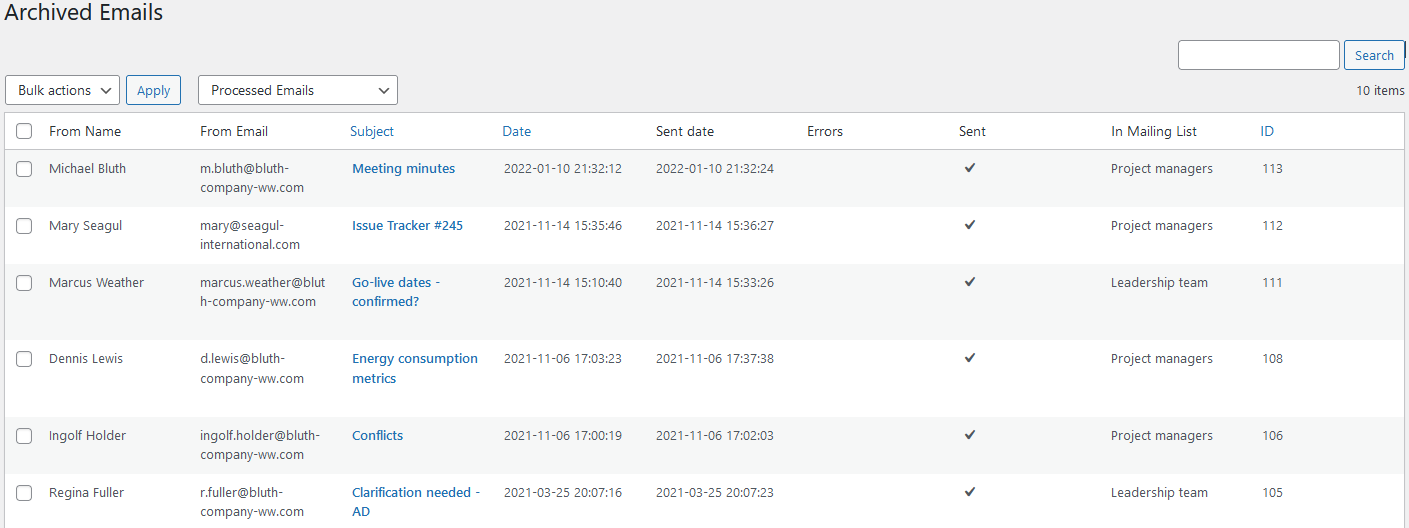
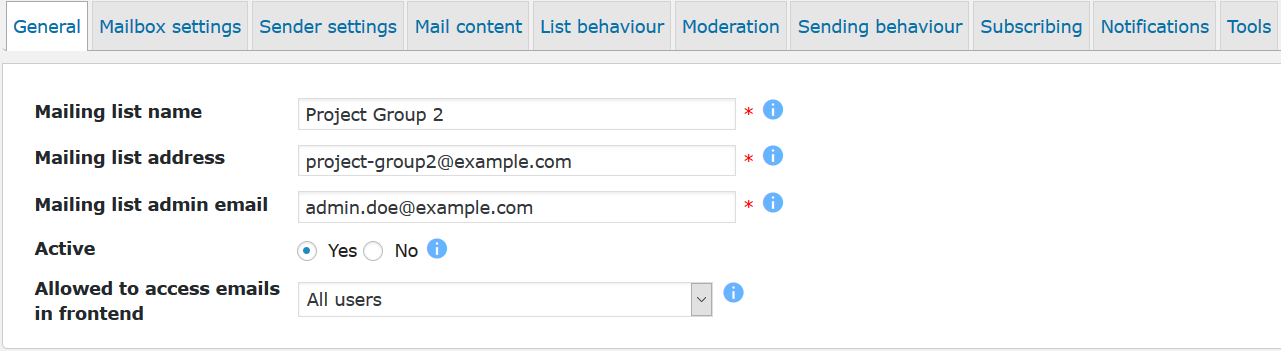
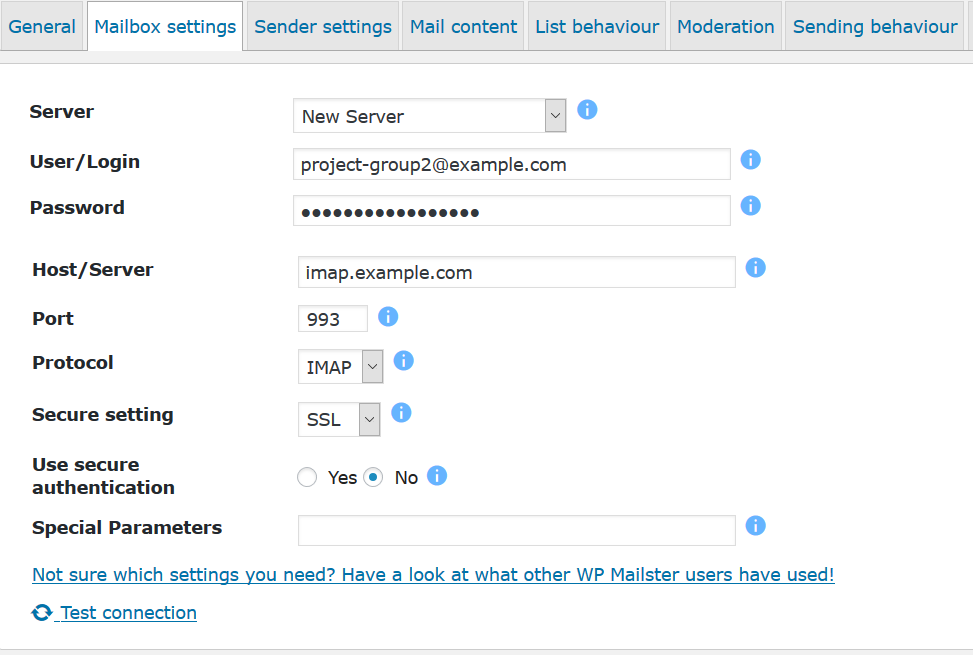
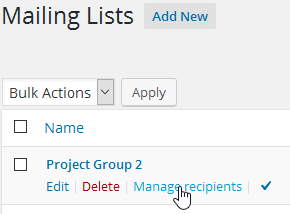
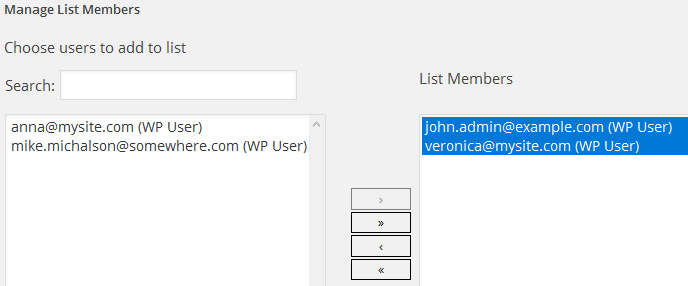
FAQ
How do I send an email?
When you want to use WP Mailster you don’t need to browse to a website, login and do something to send the message there – you just use your favorite mail client. Simply write an email to the mailing list’s address – and nothing else. So use Gmail, Outlook, Thunderbird, a Webmailer, any way you like – just send it to the mailing list address you have setup in WP Mailster.
Why take the emails so long to be delivered? How can I speed up sending?
WP Mailster is a part of WordPress which is a PHP based web application. That means: it can not act/run without being triggered and it can not run forever when triggered. This is a technical limitation coming from PHP, not from WP Mailster or WordPress. Triggering means that somebody accesses the site. During the page load WP Mailster is handling the jobs to do (mail retrieving/sending). Thus mails can only be sent/retrieved when somebody is browsing your site, otherwise the delivery is delayed or never done. As your site might not be browsed every few minutes 24×7 we recommend you to use a cronjob that opens the site periodically. We have a guide on our website on how to set that up.
What are send errors?
The send errors are messages your email server is giving back to WP Mailster basically saying „I will not forward this message“. Then WP Mailster sending for some time but eventually stops which is what you see happening. The cause can be a lot of things, e.g. hitting send limits (per hour/day) or sending email with content that the server does not like. You need to find out what your email servers are telling WP Mailster. Please follow our troubleshooting guide on our site.
Why do I get a „Certificate failure“ error message upon checking the inbox connection?
You might get an error message like this when checking the connection settings: “Certificate failure for [server] Server name does not match certificate” or “Certificate failure for [server] unable to get local issuer certificate”. This is often the case when you use your own mailing server (with a self-signed certificate). To get a connection established, you need to deactivate the automated certificate check. Do this by adding the following line in the special parameter box: /novalidate-cert
Do I need the PHP IMAP extension?
WP Mailster requires PHP 7.4 or newer for all mailbox backends. The legacy PHP IMAP backend needs the PHP IMAP extension for both IMAP and POP3. Ask your web host to enable it if you use this backend. The bundled Webklex backend can access IMAP mailboxes without the PHP IMAP extension. It requires PHP 7.4 or newer, the OpenSSL, mbstring, iconv and fileinfo extensions, and JSON support. Automatic backend selection prefers the legacy PHP IMAP backend when available. Google and Microsoft OAuth inboxes use Webklex.
How do I connect a Google or Microsoft inbox with OAuth?
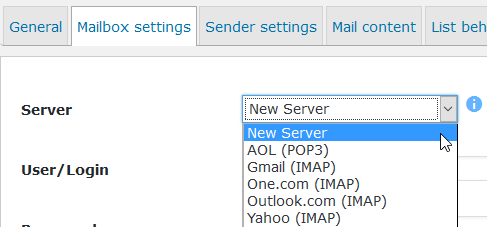
Create or edit an inbox server in WP Mailster, select OAuth 2.0 and the provider, and enter your OAuth application’s client ID and client secret. Register the exact OAuth Redirect URI shown in the server settings with your application provider. Select that server in the mailing list’s mailbox settings, save the list, then use the provider’s connect button to authorize the mailbox. Run the inbox connection check after authorization; successful authorization alone does not confirm that the mailbox permits IMAP access. Tokens are refreshed during regular mailbox retrieval. If access is revoked, reconnect the mailbox. OAuth support applies to incoming IMAP mail; configure outgoing SMTP separately.
Why do I get „Connection refused“ or „Network is unreachable“ messages, although I use the correct mailbox settings?
In most situations this connection errors show up when your web hoster (where WordPress/WP Mailster is installed) is blocking outgoing connections such as connection attempts to 3rd party email servers. This is done to avoid spam sending. Please contact your web hoster, so they configure their firewall to allow you to send emails.
Why does my website show this error „Fatal error: Out of memory (allocated […]) (tried to allocate […] bytes) in […]/wp-content/plugins/wp-mailster/[…]“
Your issue is very likely coming from a large email causing an PHP out of memory error. This is resulting from the fact that every PHP environment has a memory limit. This limit is hit when the email is tried to be retrieved from the mail server. Please remove this email from the mailing list in question. Either through a mail web-frontend or with the “Delete first email in inbox” tool the “Tools” section in the mailing list’s settings. In order to prevent have this happen in the future:
- Raise the PHP memory limit. Your web hoster can help you with that.
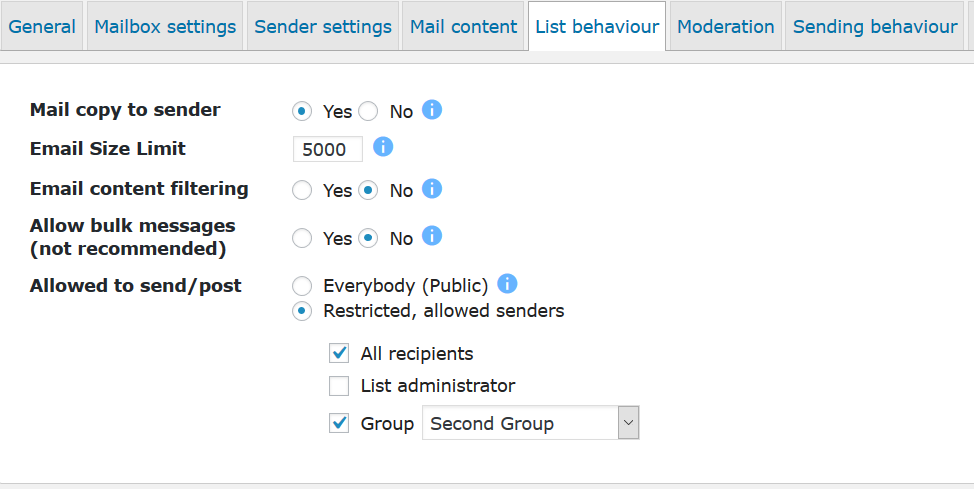
- Introduce a maximum email size for WP Mailster. You can find this setting in the “List behaviour” tab of the mailing lists settings. If larger emails are in the inbox, WP Mailster will not try to process them but simply delete it and tell the sender what happened.
What is the difference between a Mailing List and a Group?
A mailing list is a set of recipients that should all get the messages send to the mailing list’s email address.
A group is a way of organizing users. Think of it like a bucket of users. It comes in handy if you want certain users be recipients of multiple mailing lists. Then you would not add the users directly to the recipients of a mailing list, but rather add a group.
An example would be that you have three groups: Management, Project Coordinators and Developers.
If you want to run a company-wide mailing list (e.g. all@example.com) and a project mailing list (e.g. project.import@example.com) then you would add
- all three groups (Management, Project Coordinators and Developers) as recipients of the company-wide mailing list
- only the Project Coordinators and Developers groups as recipients of the project mailing list
Why all that? In case someone joins the project team you would only add the user to the Developers group. Then the user would be automatically be a recipient of both the project and the company-wide mailing list. The same thing applies if someone leaves: the user only needs to be removed form the groups and thus is automatically removed from the mailing lists that have this groups as the recipients.
So to sum up: if you run many lists and have many users that are largely managed by the admin, then it might be handy to organize users in groups and add the groups as the recipients.
How can I report security bugs?
You can report security bugs through the Patchstack Vulnerability Disclosure Program. The Patchstack team help validate, triage and handle any security vulnerabilities. Report a security vulnerability.
Reviews


Sobustatkujuce a wuwijarje
„WP Mailster“ jo software wótwórjonego žrědła. Slědujuce luźe su pśinosowali k toś tomu tykacoju.
Sobustatkujuce

“WP Mailster” has been translated into 3 locales. Thank you to the translators for their contributions.
Translate “WP Mailster” into your language.
Interested in development?
Browse the code, check out the SVN repository, or subscribe to the development log by RSS.
Changelog
1.9.0
Release Date – September 20th, 2026
* [Improvement] Raise the minimum PHP version from 5.6 to 7.4
* [Feature] Add Google and Microsoft OAuth 2.0 authentication for incoming IMAP mailboxes
* [Feature] Add a Webklex mailbox backend for IMAP access without the PHP IMAP extension (requires PHP 7.4 or newer)
* [Improvement] Improve MIME header decoding, attachment filenames, inline images and nested email handling
* [Improvement] Improve calendar invitation handling and show event summaries
* [Improvement] Prioritize recipients with fewer send errors when processing the mail queue
* [Improvement] Improve mailbox connection diagnostics and OAuth connection status feedback
* [Bug Fix] Avoid PHP warnings
* [Bug Fix] Check the bundled Webklex PHP requirement before loading its dependencies
1.8.23
Release Date – March 20th, 2026
* [Bug Fix] Avoid PHP 8.3 warnings Deprecated: Creation of dynamic property
* [Bug Fix] Fix: avoid „array_merge(): Argument #2 must be of type array, null given“
* [Bug Fix] Fix deprecation warnings about utf8_encode and utf8_decode
1.8.22
Release Date – July 6th, 2025
* [Bug Fix] Fix issue where apostrophe character within SMTP error code makes it that send errors are not stored, closing SQL injection attack vector
* [Bug Fix] Fix PHP Deprecated: strripos(): Passing null to parameter in MailUtils.php
* [Bug Fix] Fix for thread/references shortening
* [Bug Fix] Prevent PHP warning (array_key_exists(): Argument #2 ($array) must be of type array, null given)) when a sender without TO recipient is received
1.8.21
Release Date – January 2nd, 2025
* [Bug Fix] Fix Cross-Site Scripting (XSS) vulnerability
1.8.20
Release Date – January 2nd, 2025
* [Improvement] Add confirm delete dialog for list views (e.g. mailing lists, users, groups, emails, …)
* [Bug Fix] Sender/SMTP connection checks working again
* [Bug Fix] Do not save attachment(s) when the email fails to be saved
* [Bug Fix] Fix subscribe/unsubscribe widget (to not display HTML tags for the widget title)
1.8.19
Release Date – November 30th, 2024
* [Bug Fix] Fix issue in subscribe/unsubscribe shortcodes introduced in v1.8.18
1.8.18
Release Date – November 27th, 2024
* [Bug Fix] Fix Cross-Site Scripting (XSS) vulnerabilities
* [Bug Fix] Fix Stored Cross-Site Scripting (XSS) vulnerability (CVE-2024-11782)
* [Bug Fix] Fix Sensitive Data Exposure vulnerability (attacks require user role of Subscriber or higher)
* [Bug Fix] Fix PHP warnings
1.8.17
Release Date – November 15th, 2024
* [Bug Fix] Fix for when certain email character set conversion lead to an empty email body
* [Bug Fix] Fix SQL Injection vulnerabilities (attacks require user role of Contributor or higher)
* [Bug Fix] Fix Cross-Site Scripting (XSS) vulnerabilities (attacks require user role of Contributor or higher)
* [Bug Fix] Fix Sensitive Data Exposure vulnerability (vulnerability exists only when CSV exports have been done)
* [Bug Fix] Fix Sensitive Data Exposure vulnerability (attacks require user role of Subscriber or higher)
* [Bug Fix] Fix Settings change vulnerabilities
* [Bug Fix] Fix Arbitrary Content Deletion vulnerabilities
1.8.16
Release Date – October 28th, 2024
* [Improvement] WordPress 6.7 compatibility (marker)
* [Bug Fix] Security fix to close Cross-Site Scripting (XSS) vulnerability
1.8.15
Release Date – October 16th, 2024
* [Improvement] Improve error handling and logging
* [Improvement] Add selected logging about queue status and actions
* [Improvement] WordPress 6.6 compatibility (marker)
* [Bug Fix] Remove no longer relevant code
1.8.14
Release Date – May 24th, 2024
* [Improvement] Automatically shorten (too) long subjects, current max length: 191 characters
* [Bug Fix] Fix email character display/modification issues with Baltic encoding
* [Bug Fix] Fix backend email archive view (and other admin list views) for Safari
* [Bug Fix] Fix some rare cases where email was not saved to database
* [Bug Fix] Fix multiple PHP warnings
1.8.12
Release Date – February 1st, 2024
* [Bug Fix] Fix reCaptcha (v2 is still used)
* [Bug Fix] Fix multiple PHP warnings
* [Bug Fix] Fix multiple PHP deprecation messages (Deprecated: Creation of dynamic property)
1.8.11
Release Date – December 21st, 2023
* [Improvement] CSV import also supports file with only emails (no name column)
* [Improvement] Do not create Microsoft and Google default connections because of missing OAUTH2 support
* [Bug Fix] Avoid error „Prohibited input U+00000081“ and update idna-convert library
* [Bug Fix] Fix issue where special characters in subject break user interface (list of archived emails, list of queued emails)
* [Bug Fix] Bounce emails containing email addresses in angle brackets are showing the addresses in the email archive email details view
1.8.10
Release Date – September 4th, 2023
- [Bug Fix] Fix for: Non-static method PEAR::isError() cannot be called statically
- [Bug Fix] When moderation is active, the list administrators (serving as moderators) should not need to approve their own messages to the list
1.8.9
Release Date – August 18th, 2023
- [Bug Fix] submitTxt parameter works again for subscribe/unsubscribe shortcodes
- [Bug Fix] headerTxt parameter works again for subscribe/unsubscribe shortcodes
- [Bug Fix] Fix error 1406 Data too long for column references_to
- [Bug Fix] Fix WordPress database error: [Unknown column ‘published’ in ‘where clause’]
- [Bug Fix] When emails get deleted, no empty folders remain (where the attachments were stored in before they were deleted)
- [Bug Fix] Fix two bugs related to email digests that could prevent digests from being sent (Society & Enterprise edition)
- [Bug Fix] Avoid warnings with PHP 8.2