

Wopisanje
Dedicated Support
For quick support and assistance, please contact us
TopBar Buddy – WordPress Announcement Bar Plugin
Need a free announcement bar WordPress sites can use for promotions, alerts, and updates? TopBar Buddy is a WordPress notification bar plugin that displays sticky top banners with scheduling, colours, and page targeting.
Use it as a WordPress alert bar plugin for sales, maintenance notices, holiday messages, cookie notices, and newsletter prompts. Built for UK site owners, marketers, and agencies who want a simple WordPress top bar plugin without complex setup.
Who Is It For?
- Shop Owners – Run timed promo banners with a scheduled announcement bar WordPress workflow.
- Bloggers & Publishers – Share important updates with a sticky notification bar WordPress visitors can dismiss.
- Agencies – Deploy branded alert bars across client sites quickly.
- Course Creators – Highlight enrolment deadlines and live class reminders.
How It Works
- Install TopBar Buddy and open the settings page in WordPress admin.
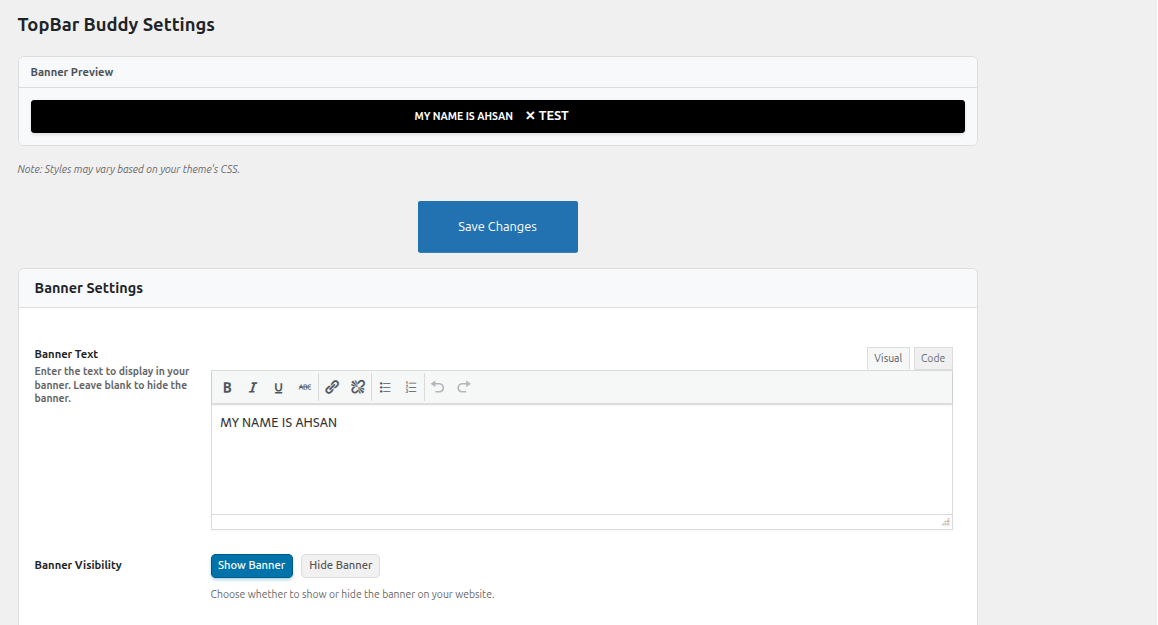
- Write your banner message in the built-in editor.
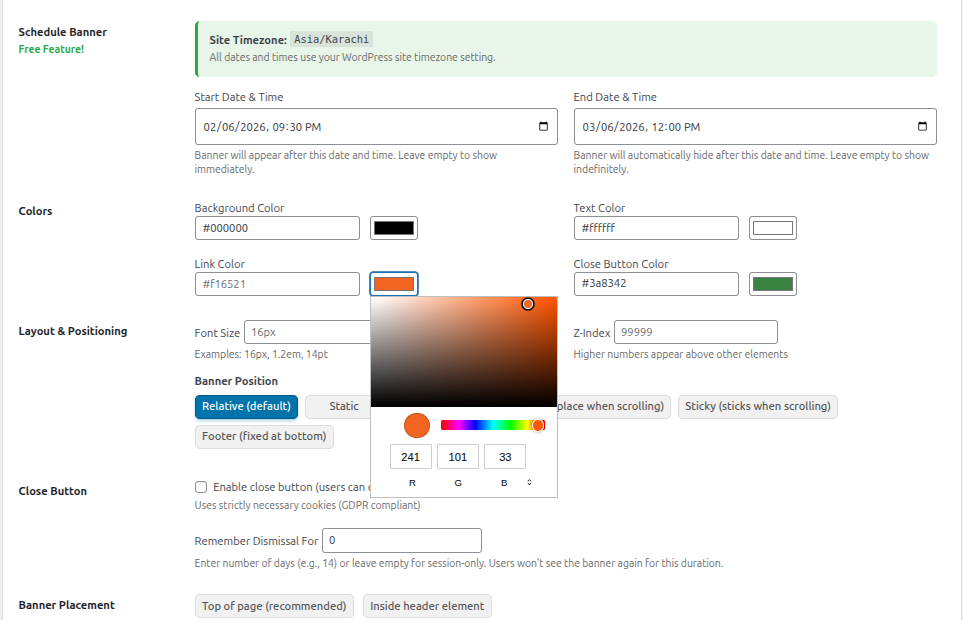
- Customise colours, position, close button, and optional custom CSS.
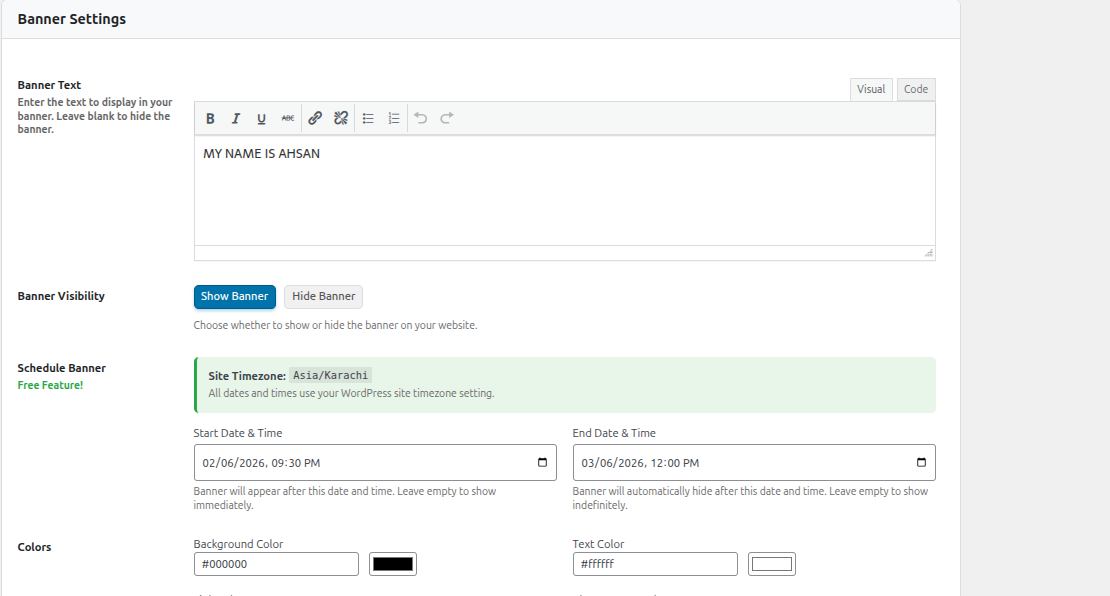
- Set start/end dates for automatic scheduling using your site timezone.
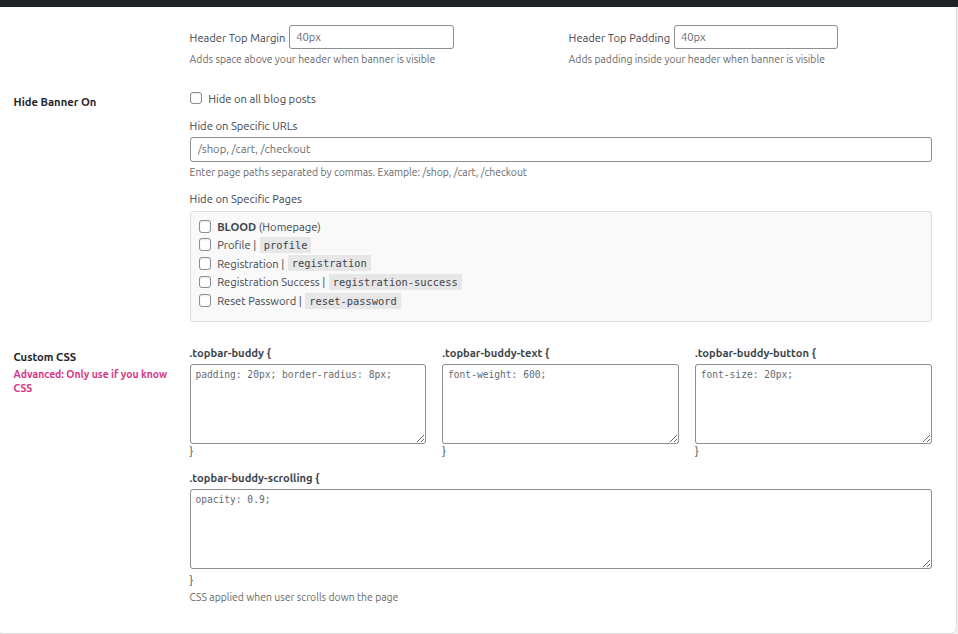
- Exclude specific pages or URLs, preview live, and publish.
Key Features
Announcement & Notification Bars
- WordPress Announcement Bar Plugin – Display sticky top banners on any page
- WordPress Notification Bar – Share alerts, promos, and site-wide messages
- Scheduled Announcement Bar WordPress – Free start and end date scheduling with timezone support
- Sticky Header Bar WordPress – Keep important messages visible at the top or bottom
- Live Preview – See banner changes in real time before publishing
Design & Control
- Fully Customisable – Background, text, link, and close button colours
- Custom CSS – Fine-tune layout and styling for your brand
- WYSIWYG Editor – Rich text content with links and formatting
- Close Button – GDPR-friendly dismiss with strictly necessary cookies
- Page Exclusions – Hide banners on selected pages, posts, or custom URLs
- Mobile Responsive – Works on desktop, tablet, and mobile
Compatibility
- Divi Theme Support – Banner displays correctly for all users on Divi
- Theme Fallback – Outputs via wp_footer when wp_body_open is unavailable
- Lightweight – Fast loading with no external API calls
Perfect For:
- Sales and promotions
- Important announcements
- Maintenance notices
- Holiday messages
- Special events
- Cookie notices
- Newsletter signups
Our Other Plugins
Screenshots
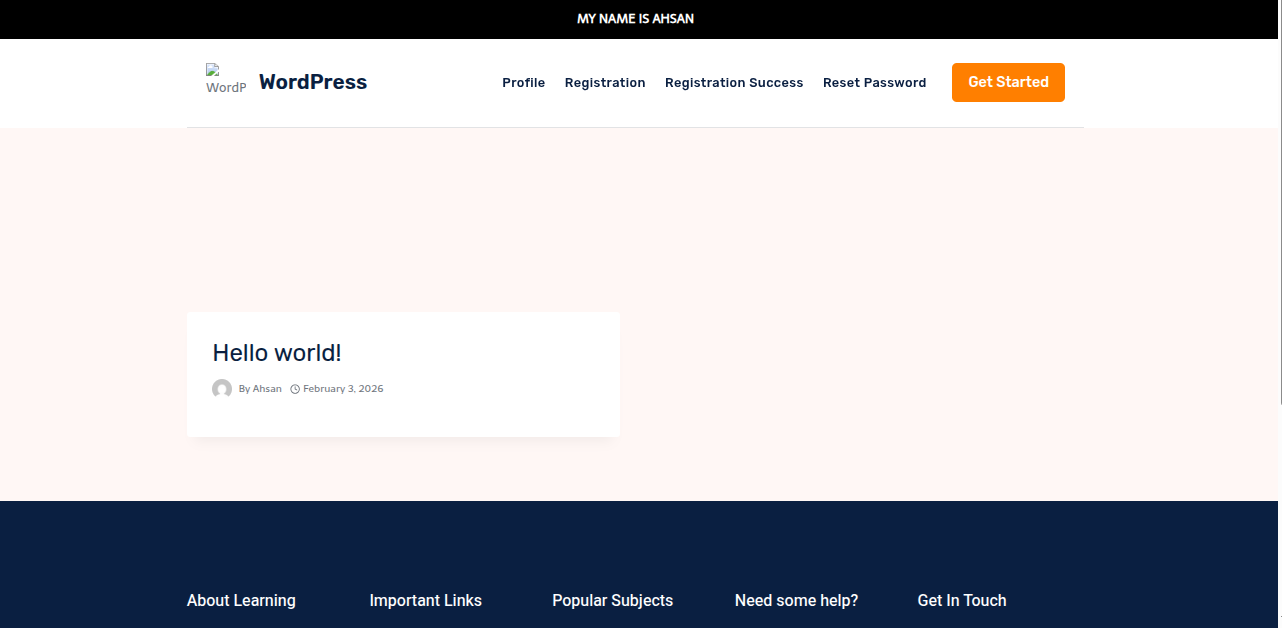
Instalacija
- Upload the plugin files to
/wp-content/plugins/topbar-buddy, or install through the WordPress plugins screen. - Activate the plugin through the Plugins menu in WordPress.
- Go to TopBar Buddy in the admin menu to configure your banner.
FAQ
-
What is TopBar Buddy?
-
TopBar Buddy is a WordPress announcement bar plugin and WordPress alert bar plugin for sticky notification bars with scheduling, customisation, and page targeting.
-
Is this a free announcement bar WordPress plugin?
-
Yes. TopBar Buddy is free, including date scheduling, live preview, page exclusions, and custom CSS.
-
Can I use this as a WordPress notification bar?
-
Yes. Display site-wide alerts, promo messages, and updates as a sticky notification bar WordPress visitors see on every page.
-
Does it support a scheduled announcement bar WordPress workflow?
-
Yes. Set start and end dates with times. The plugin uses your WordPress site timezone automatically.
-
Yes. Position your banner at the top or bottom of the page so it stays visible while visitors browse.
-
Yes. The close button uses strictly necessary cookies, which are GDPR compliant for dismiss functionality.
-
Yes. Use the Hide Banner On section to exclude pages, posts, or custom URLs.
-
Yes. Use colour pickers for background, text, links, and the close button. Add custom CSS for advanced styling.
-
Does this work on mobile?
-
Yes. Banners are fully responsive on all devices.
-
Does TopBar Buddy work with Divi?
-
Yes. Version 1.1.0 added Divi theme compatibility so banners display correctly for all users.
Reviews
There are no reviews for this plugin.
Sobustatkujuce a wuwijarje
„TopBar Buddy“ jo software wótwórjonego žrědła. Slědujuce luźe su pśinosowali k toś tomu tykacoju.
Sobustatkujuce


Translate “TopBar Buddy” into your language.
Interested in development?
Browse the code, check out the SVN repository, or subscribe to the development log by RSS.
Changelog
1.1.1
- Updated: Readme optimised with UK SEO keywords, concise FAQs, proper markdown links, and improved WordPress.org discoverability.
1.1.0
- Divi theme compatibility – Banner now displays correctly for all users when using the Divi theme
- Theme fallback – For themes that do not support wp_body_open, the banner is output via wp_footer
- Code cleanup – Removed unused script options and redundant code
1.0.0
- Initial release of TopBar Buddy
- Free Date Scheduling – Schedule banners with start and end dates
- WYSIWYG Editor – Rich text editor for banner content
- Page Exclusions – Hide banners on specific pages, posts, or custom URLs
- Server-Side Timezone Handling – All date checks use WordPress timezone