

Wopisanje
Custom Feed for TikTok is a WordPress plugin that lets you show your TikTok videos directly on your website, with a quick and simple setup.
Connect your TikTok account, pick a layout, and embed your TikTok feed anywhere on your site using a shortcode. Your feed updates automatically every time you post on TikTok.
👉 Official Page: Custom Feed for TikTok
👉 Setup Guide: Documentation
👉 Live Demo: See it in action
👉 Support: Submit a Ticket
👉 Community: Join the Facebook Group
Who is this plugin for?
Content Creators & Influencers: Show your latest TikTok videos on your website or portfolio. Turn visitors into followers by promoting your content directly.
Small Business Owners: Display your products, services, or behind-the-scenes TikTok videos on your site. Keep your website updated without creating extra content.
E-commerce & WordPress Store Owners: Show your TikTok product videos in your store. Add unboxing videos, and demos directly to product pages to help customers make buying decisions.
Digital Marketers: Use TikTok content to boost engagement on landing pages and campaigns. Show real content that builds trust and improves conversions.
Agencies & Freelancers: Manage multiple TikTok accounts from one place. Display different feeds for different clients easily on the same site.
Media Sites & Bloggers: Add a TikTok video gallery to your posts or pages. Show relevant content using hashtags to match your topics.
Why Choose Custom Feed for TikTok?
Easy setup: Get your feed up and running in minutes with a simple visual builder.
Flexible layouts & styling: Customize how your feed looks with layout options, colors, spacing, and display settings to match your site.
Auto-sync feeds: New videos appear on your site automatically without manual updates.
Works with your page builder: Compatible with Elementor, Oxygen, and Beaver Builder.
Popup video player: Let visitors watch videos in a lightbox without leaving your site.
Performance optimized: Images are stored locally for faster loading and fewer API requests.
Multiple accounts, one dashboard: Connect and manage multiple accounts from one place.
Fully responsive: Your feed adapts smoothly to mobile, tablet, and desktop.
SEO-friendly: Clean structure with captions used as ALT text to help visibility.
GDPR compliant: Load feeds in a privacy-friendly way and give users control when needed.
Free Features
Display Your TikTok Feed: Connect your TikTok account and display your videos in a responsive grid gallery on any WordPress page or post.
Grid Layout with Adjustable Columns: Choose how many columns to display and set the spacing between videos. Works on all screen sizes.
Control How Many Videos Show: Set a specific number of TikTok videos to display. Useful for keeping pages clean and focused.
Post Order: Display videos in ascending or descending order based on when they were posted.
Feed Settings: The multiple feed setting options will allow you to open your post by default or on the TikTok site. Also, you can choose to display/hide the Author Name, Photo, TikTok video caption, or Platform Icon.
Header Display: Show your TikTok profile picture and account name above the feed, or hide the header entirely.
Pagination: Split your videos across multiple pages. Set how many videos appear per page and customize the pagination button text.
Feed Caching: Set a cache refresh interval to control how often the plugin fetches new data from TikTok. Improves performance and reduces API calls.
Shortcode Embed: Add your TikTok feed anywhere using the shortcode: [wp_social_ninja id="template_id" platform="tiktok"]
Pro Features
Multiple TikTok Accounts: Connect multiple TikTok accounts and display feeds, separately or combined into a single gallery.
Masonry Layout: Show your TikTok feed in a masonry grid for a clean, Pinterest-style look.
Carousel Slider: Display your TikTok feed as a horizontal carousel with autoplay, slide speed control, number of slides visible, and navigation type (arrows, dots, both).
Advanced Post Order: Sort your feed by Most Viewed, Most Liked, Ascending, Descending, or Random.
Number of feeds: This filter option of Custom Feed for TikTok will allow you to show how many feeds you want to show.
Hashtag and Keyword Filtering: Show only videos that include specific words or hashtags. Or hide videos containing certain terms. Useful for campaigns, product categories, or curated content pages.
Popup Video Player Settings: Full control over what appears in the pop-up with play button, video description, like count, share button, and more.
Follow Button: Add a TikTok Follow button to the header, footer, or both. Customize the button text.
Advanced Style Controls: Granular styling for every element like background color, border radius, font size, button styles, box shadows, and more. Match your exact brand without touching code.
How to Set Up Your TikTok Feed (Quick Start)
- Install and activate Custom Feed for TikTok from the WordPress plugin directory
- In your WordPress dashboard, go to WP Social Ninja Platforms TikTok
- Generate your TikTok access code to connect your account
- Click Add New Template and choose your layout
- Configure your feed setting with number of videos, post order, header display, and more.
- Click Save and copy the shortcode.
- Paste the shortcode into any page, post, or widget. Your TikTok feed is live.
Other Plugins by the Same Team
- WP Social Ninja
- Contact Form Plugin – Fastest Contact Form Builder Plugin for WordPress by Fluent Forms
- Email Marketing, Newsletter, Email Automation and CRM Plugin for WordPress by FluentCRM
- Fluent Support – WordPress Helpdesk and Customer Support Ticket Plugin
- Ninja Tables – Best Data Table Plugin for WordPress
- FluentSMTP – WP Mail SMTP, Amazon SES, SendGrid, MailGun and Any SMTP Connector Plugin
Screenshots
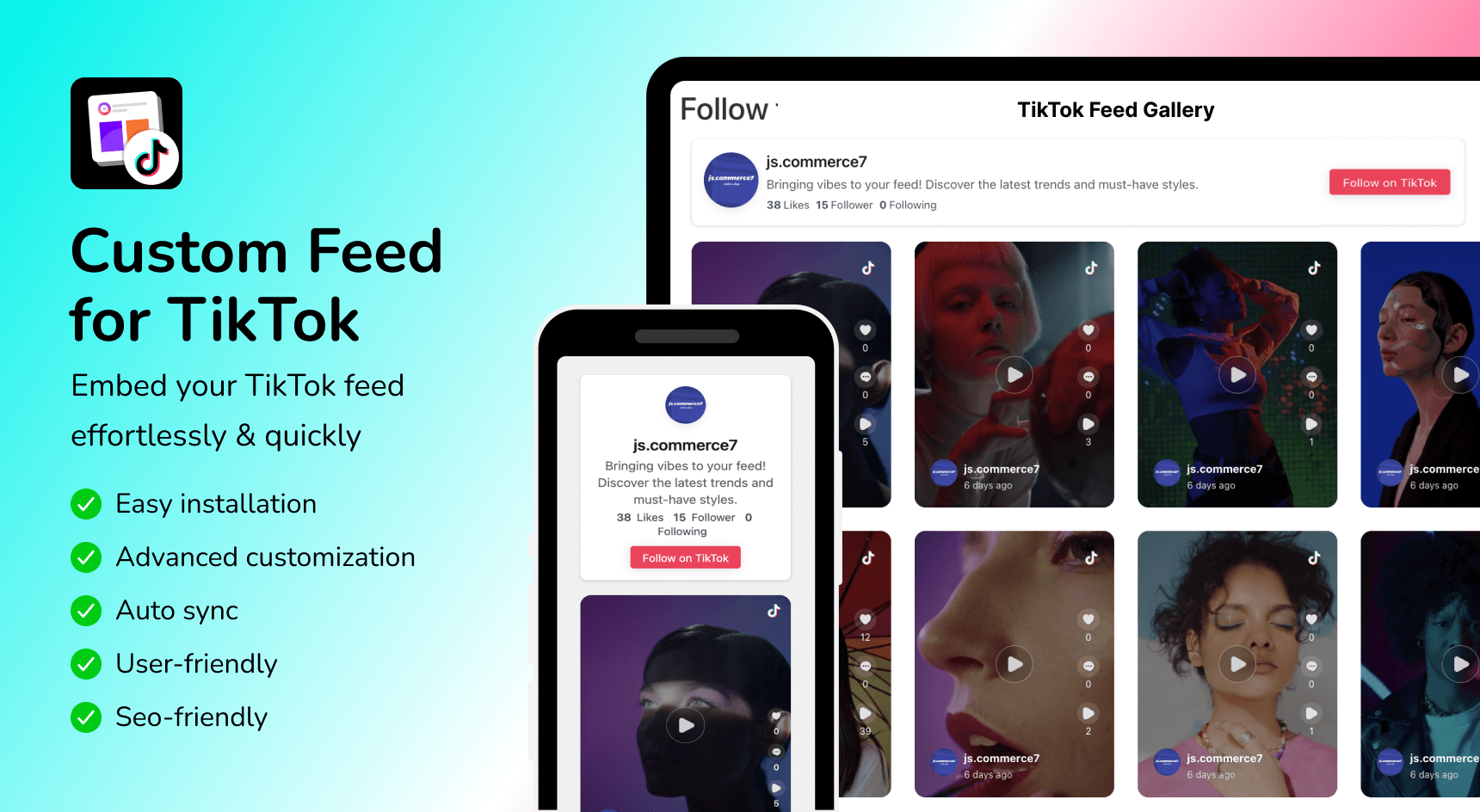
Display your TikTok feed on any WordPress page with no coding required 
Multiple layout options like Grid, Masonry and Carousel, with advanced customization controls 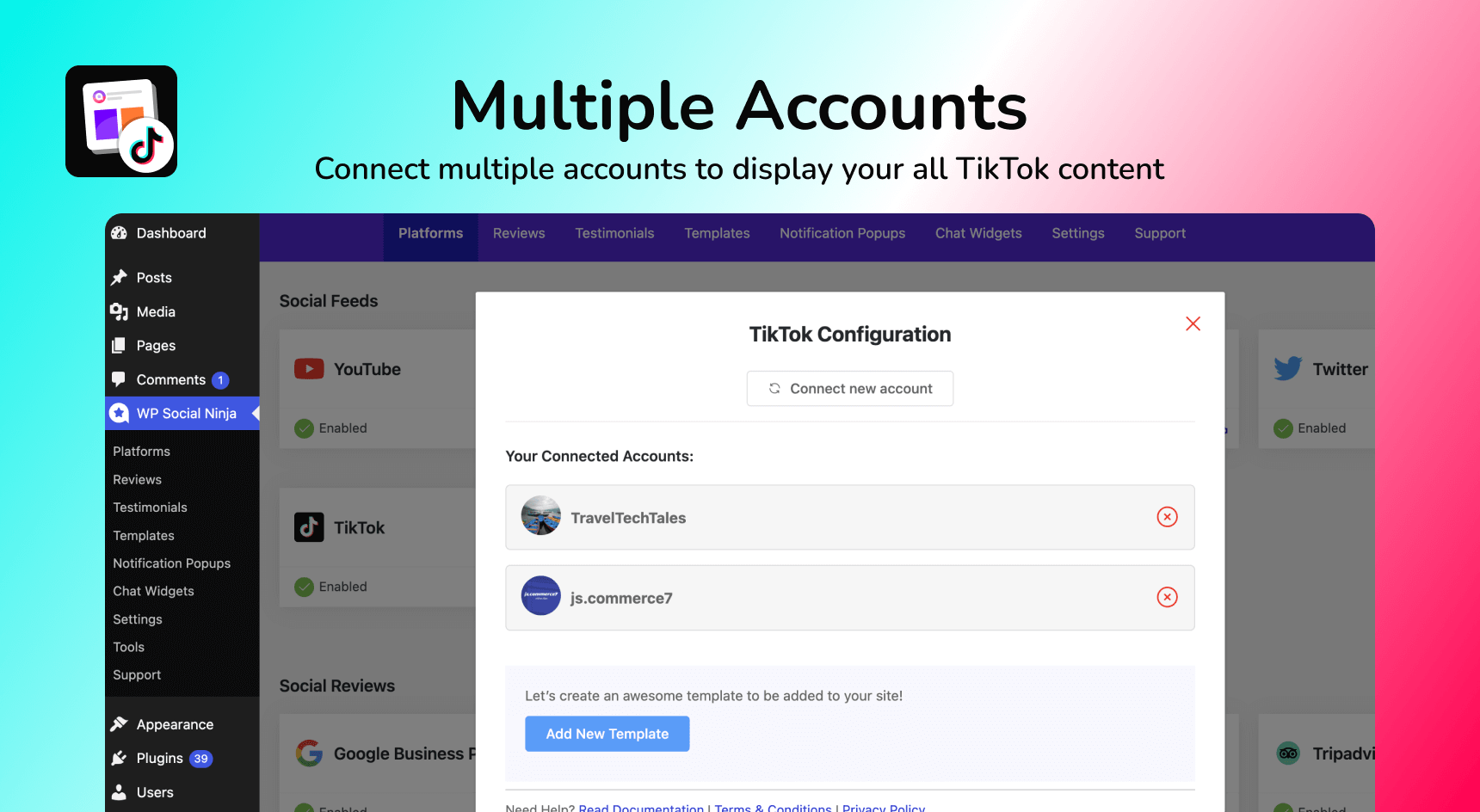
Connect multiple TikTok accounts to show your different products from different accounts 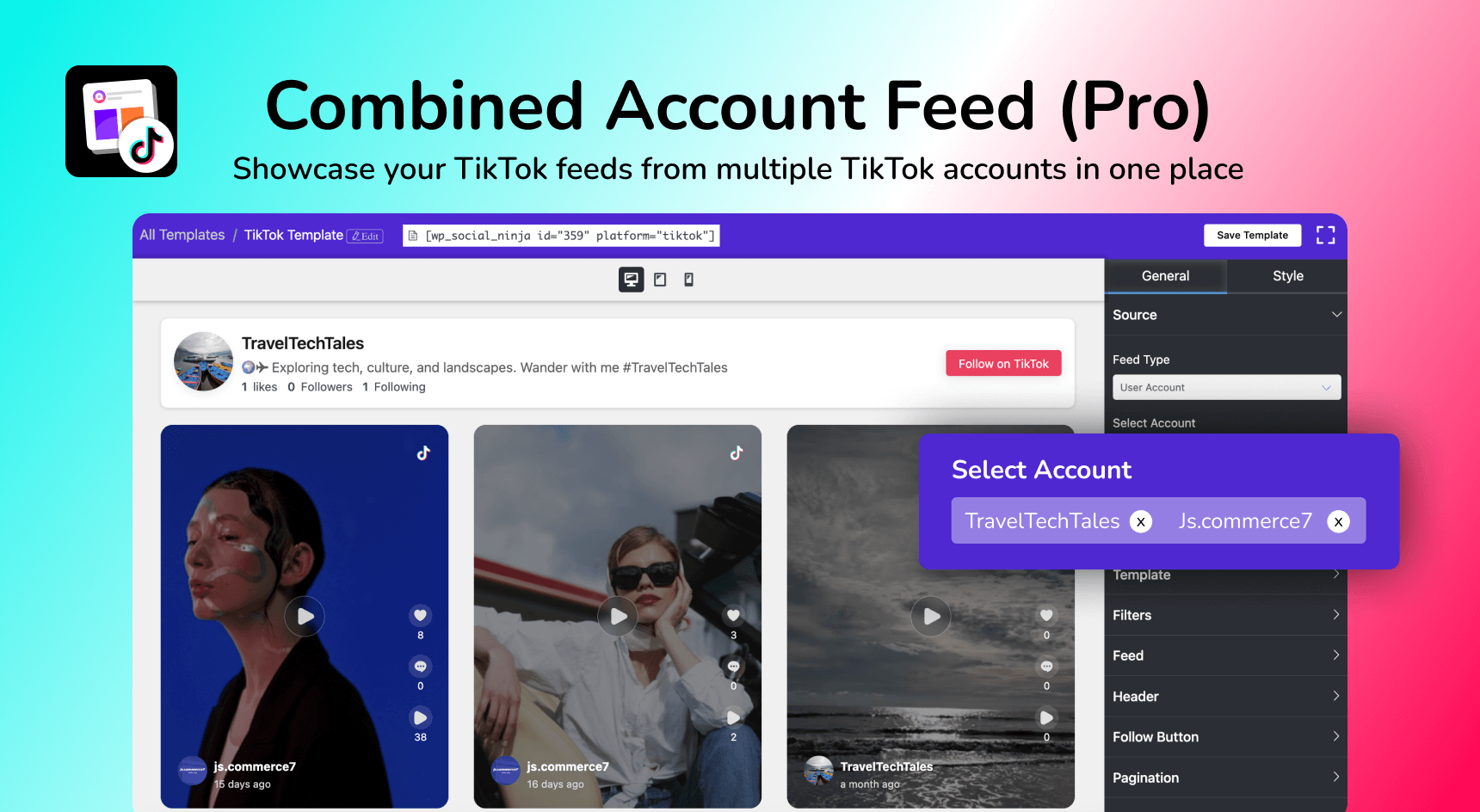
Video popup lets visitors watch TikTok videos without leaving your site 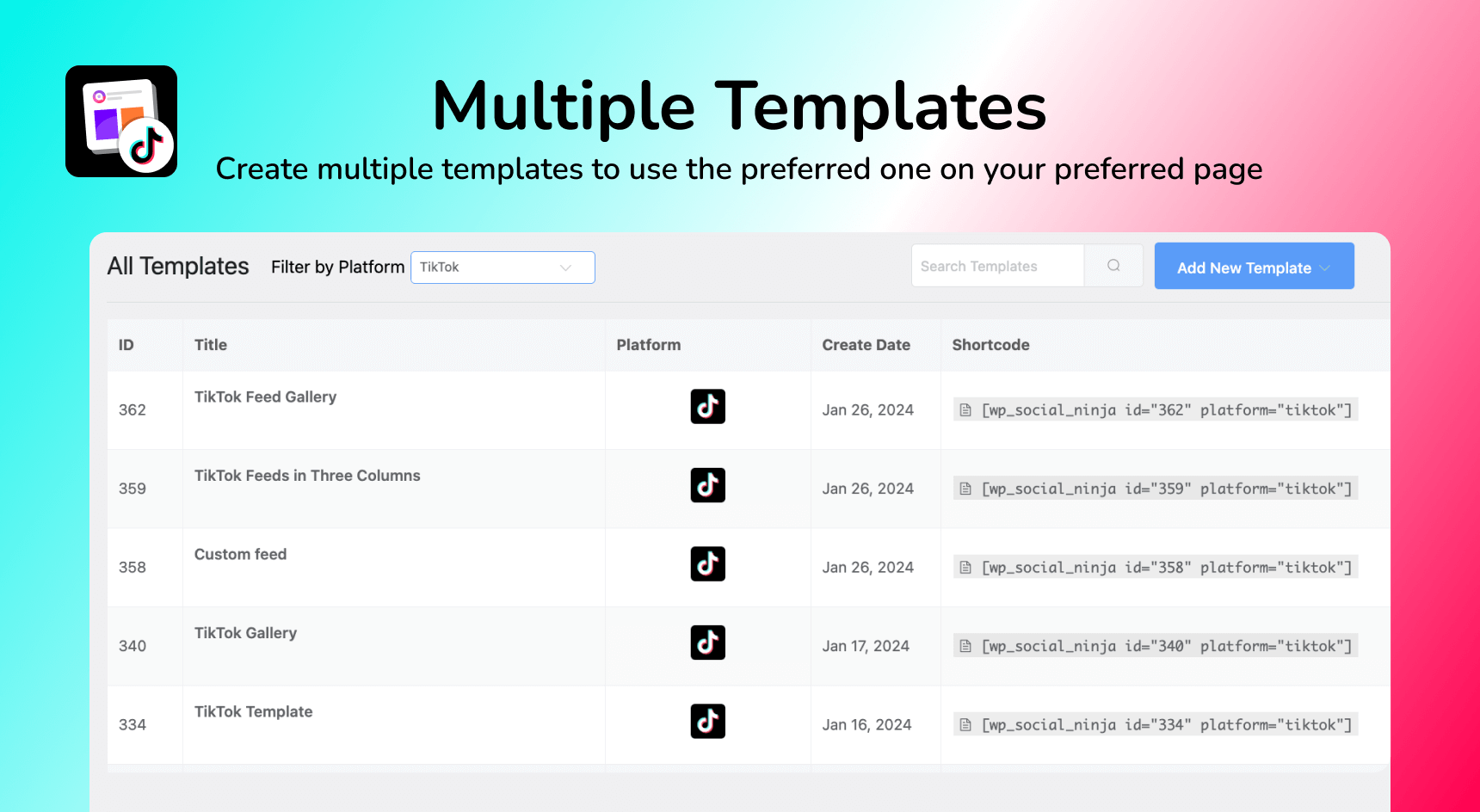
Control the style settings; colors, spacing, fonts, and borders from a visual settings panel 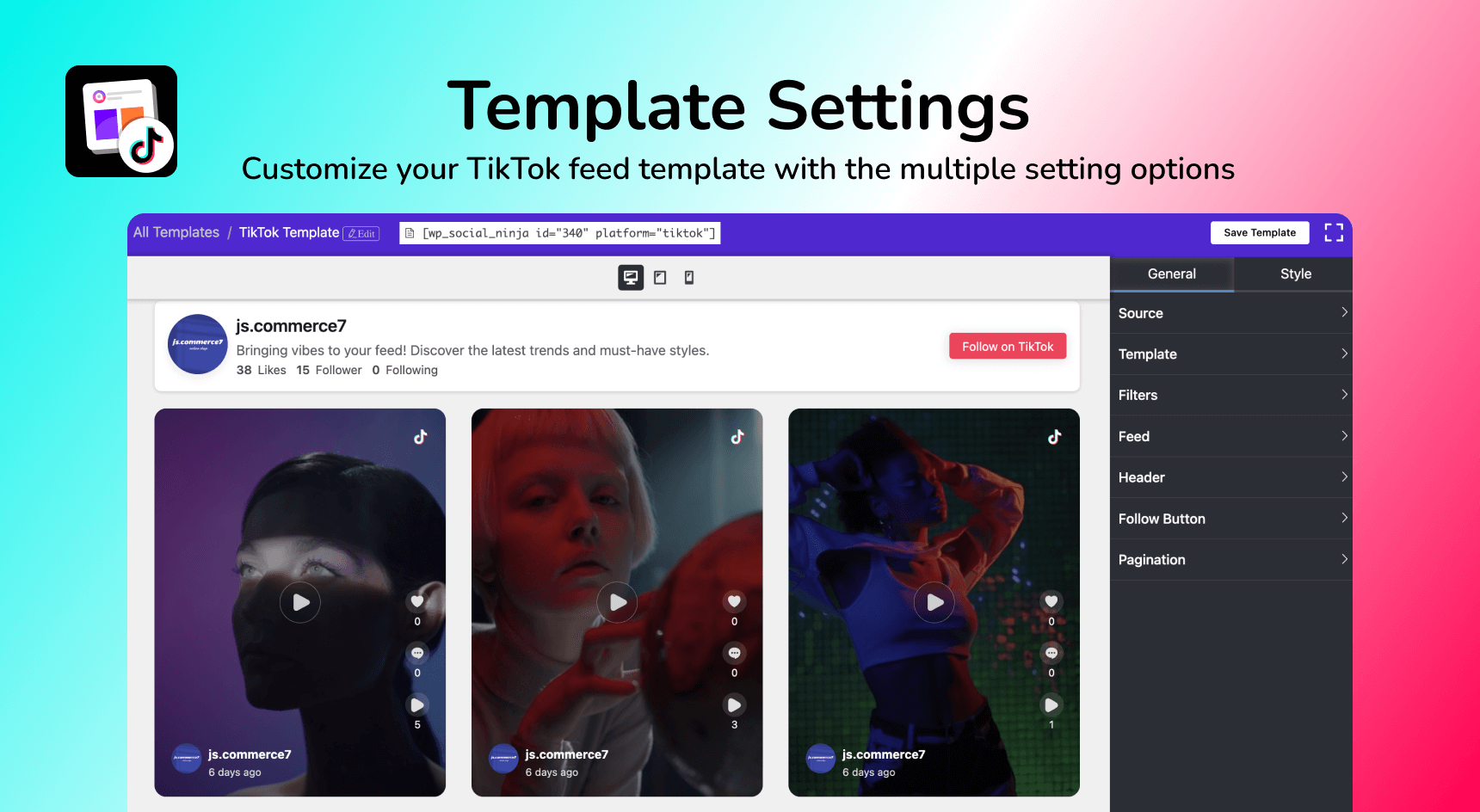
Works with Elementor, Oxygen, and Beaver Builder page builders 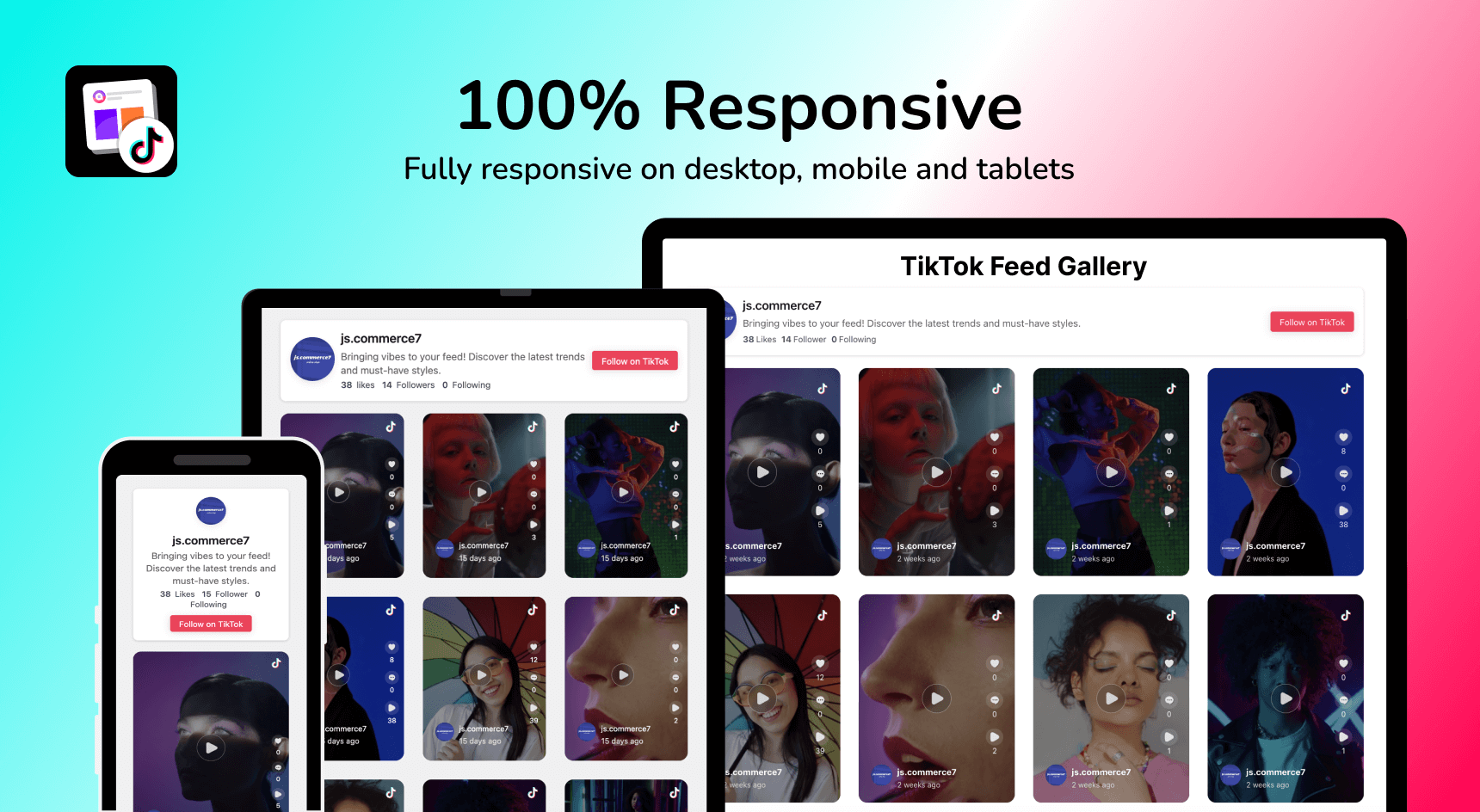
100% responsive on desktop, tablet, and mobile devices
Instalacija
This section describes how to install the plugin and get it working.
Install from WordPress Admin Panel:
- Login to the WordPress Admin section
- Go to Plugins > Add New
- Type “Custom Feed for TikTok” on the Search bar and enter
- Find this plugin and Click “Install Now”
- Activate The Plugin
Manual Installation
- Download the plugin from the WordPress.org repository
- On your WordPress admin dashboard, go to Plugins > Add New > Upload Plugin
- Upload the downloaded Plugin (custom-feed-for-tiktok.zip) file and click Install Now
- Activate “Custom Feed for TikTok” from your Plugins page
- Use Custom Feed for TikTok on your site from the WP Social Ninja dashboard
FAQ
-
What is a TikTok feed plugin for WordPress?
-
A TikTok feed plugin for WordPress is a tool that connects your WordPress website to your TikTok account and automatically displays your TikTok videos in a customizable layout. Custom Feed for TikTok uses the TikTok Display API to fetch your videos and embed them on any page or post, without manual embedding or coding.
-
How do I embed TikTok videos in WordPress?
-
Install Custom Feed for TikTok, connect your TikTok account, create a feed template, and paste the shortcode
[wp_social_ninja id="template_id" platform="tiktok"]into any page or post. Your TikTok feed will appear immediately and update automatically when you post new videos. -
Does this TikTok plugin work without coding?
-
Yes. You can configure everything through a visual settings panel. No PHP or CSS needed.
-
Can I display multiple TikTok feeds on one page?
-
Yes. Create separate feed templates for different accounts or hashtags, then paste each shortcode into the page where you want it. You can display as many feeds as you need.
-
Can I show TikTok feeds from multiple accounts?
-
Yes, in the Pro version, you can connect multiple TikTok accounts and display them in separate feeds or combined into a single gallery.
-
Does this plugin work with Elementor?
-
Yes. Custom Feed for TikTok integrates natively with Elementor, Oxygen, and Beaver Builder. Add your TikTok feed widget to any page builder section without touching code.
-
Does this plugin work after TikTok API changes?
-
Yes. We regularly update the plugin to stay compatible with TikTok Display API. If your feed stops working, simply update to the latest version. If you still face issues, our support team is ready to help.
-
Is this TikTok feed plugin GDPR compliant?
-
Yes. WP Social Ninja is GDPR-compliant for social feeds. The plugin uses TikTok’s official Display API and handles data according to TikTok’s Terms of Service and Privacy Policy.
-
What TikTok layouts are available?
-
The free version includes a responsive Grid layout. The Pro version has Masonry and Carousel with autoplay, slide speed control, and navigation options.
-
Where can I get support?
-
Submit a support ticket here. Our team responds within 24 hours on business days.
Reviews

Sobustatkujuce a wuwijarje
„Custom Feed for TikTok – Social Post Feed Plugin for TikTok“ jo software wótwórjonego žrědła. Slědujuce luźe su pśinosowali k toś tomu tykacoju.
Sobustatkujuce


Translate “Custom Feed for TikTok – Social Post Feed Plugin for TikTok” into your language.
Interested in development?
Browse the code, check out the SVN repository, or subscribe to the development log by RSS.
Changelog
1.2.2
– Optimized database queries and improved security
1.2.1
– Added device-based responsive control for ‘Load More’ behavior.
– Added advanced style options for templates, including box shadow, border radius, hover effects, and padding and spacing controls. (Pro)
1.2.0
– Enhance HTML sanitization for user-generated content
– New UI improvements for better user experience
1.1.8
– Removed redundant load_plugin_textdomain() initialization
– Improved sanitization and escaping for imported feed content
1.1.7
– Improved Error Handling: Added encryption error detection, with clear, user-friendly error messages (includes error code 999 for access token issues).
1.1.6
– Fixed TikTok feed disconnection issue by improving token management, adding a safety buffer for expiration checks, and enhancing error handling.
1.1.5
– Added missing text domains for better translation support.
– Included string comments for translators.
1.1.4
– Fixed TikTok feed display issue on mobile devices
– Improve popup button display in responsive mode
1.1.3
– Fixed an issue with TikTok feed filters on mobile devices
– Improved accessibility for the TikTok feed
1.1.2
– Fixed optimize profile photo invalid url issue
– Fixed unknown error message display issue
1.1.1
– Resolved an issue with the display of TikTok Feed user names and images on animated backgrounds.
– Preloader in feed templates not disappearing after storing images locally has been resolved. Preloader now correctly disappears after images are successfully stored.
1.1.0
• Added Optimize Images settings option in Settings -> Feed Platforms -> TikTok Settings. This feature automatically saves local copies of TikTok feed images on your server for better performance.
• Added TikTok Feed GDPR compliant settings option in Settings -> Advanced Settings.
• Added an option to reset Optimize Images settings in Settings -> Feed Platforms -> TikTok Settings
• Added an option to customize image resolution in Template Editor -> Post -> Images Resolution.
• Added a warning notice in the wp social ninja admin area to alert you about critical issues with your TikTok Feed.
• Enhanced error handling and added more descriptive error messages for TikTok Feed issues.
• Added automated email notification alerts for critical TikTok Feed issues. You will receive an email notification if any unresolved issues with a TikTok feed arise on your website.
1.0.0
– init the first release